Quiet command layer for many agents.

One workspace. Many agents. Less chaos. Run Claude Code, Codex, OpenCode and Pi from one calm desktop command center.
OpenCode ready
Claude Code thinking
Codex queued
Pi custom
MIT Licensed
Cross-platform
01 // Features
What makes OpenGUI different.
01
Multi-Agent Workspace
Run Claude Code, Codex, OpenCode and Pi side by side in separate sessions. One window, multiple agents, no context collision.
02
Smart Queue
Type your next prompt while the current one runs. The queue dispatches the next task the moment an agent is free. No waiting, no idle time.
03
Live Streaming
Watch every agent response arrive token by token. Monitor usage, context window and cost in real time without leaving the conversation.
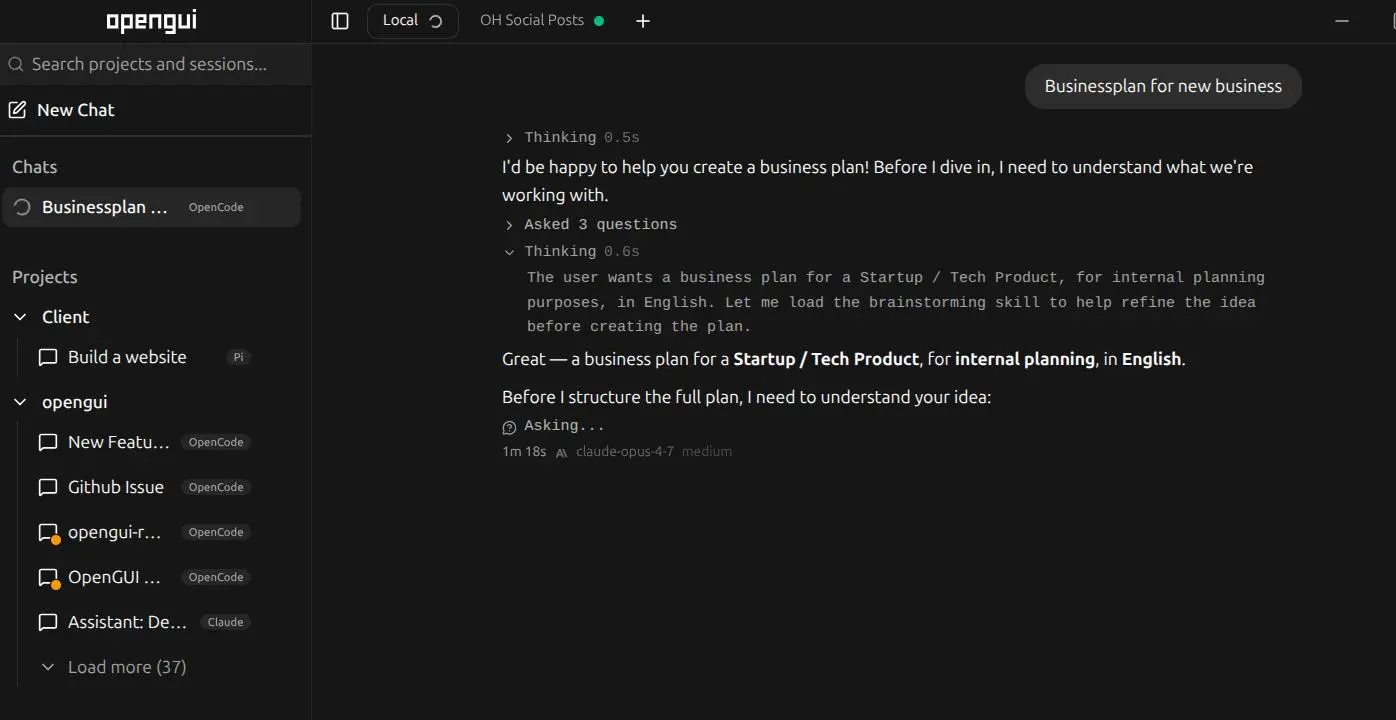
Multiple agents, separate sessions, one workspace.
04
MCP & Plugin Management
Add MCP tools, skills and plugins directly from the UI. No config files, no terminal. Install, enable and manage extensions visually.
05
Pin, Search, Organize
Pin important sessions, move conversations between projects, find anything with global search. Your workspace stays clean as it grows.
06
Provider & Model Switching
Switch between GPT, Claude, Gemini, local models or OpenRouter endpoints directly from the chat. Your keys, your providers, zero lock-in.
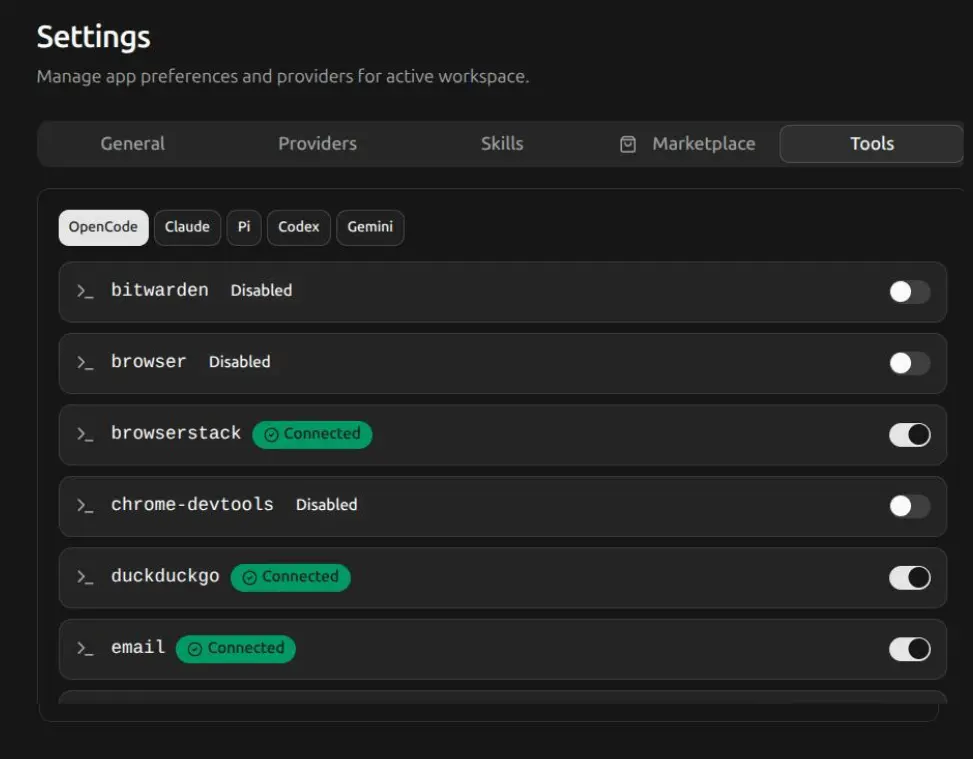
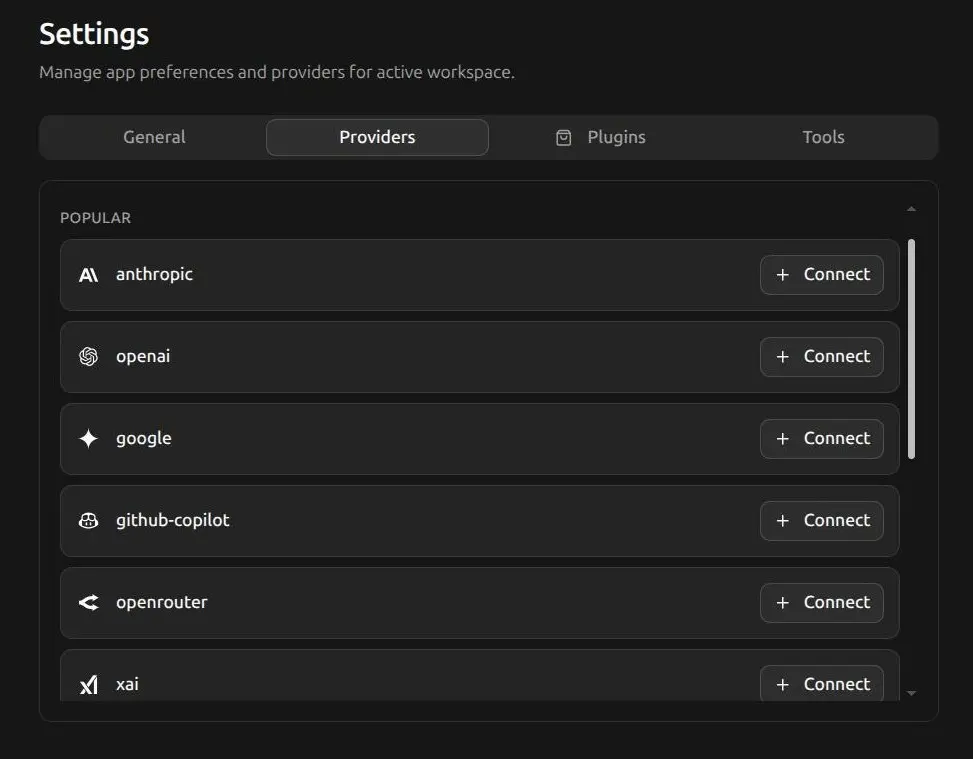
MCP tools and provider connections, configured from the UI.
02 // Architecture
Built for clarity.
Sessions
Each agent runs in its own session with its own context. No mixing, no accidental overwrites.
Streaming
Real-time output for every running agent. See what happens while it happens.
Queue
Prompts are dispatched intelligently. The next task starts automatically when an agent becomes free.
Models
Switch models on the fly. GPT, Claude, Gemini, local models via OpenRouter or custom endpoints.
Electron
Built on Bun and Electron. Native desktop app for Linux, macOS and Windows.
Plugins
MCP tools and custom extensions integrate seamlessly into the workspace.
Every agent brings a voice. OpenGUI gives them a room.
The problem isn't the agents. It's the constant switching between CLIs, tabs, sessions, logs and provider contexts. OpenGUI cleans that up.
03 // Open Source
Open by default.
Free and open
OpenGUI is MIT-licensed. The entire source code is viewable, forkable and open for contributions. No artificial lock-in, no hidden restrictions.
Comfortable by design
Don't want to deal with configuration? Use OpenGUI Ready: fully set up, professionally maintained and with support. The open-source project stays untouched.
04 // Ready
Set up. Independent.
OpenGUI Ready is the paid comfort layer for people and teams who want to work with AI agents without sorting out setup, provider logins and updates themselves.
Setup & Installation
Agent backends configured
Ongoing support
Explore Ready
Ready to try it.
Linux, macOS, Windows. One app, all your agents. MIT-licensed and free.